Run the flow_
Grant the read scope, watch a write get refused, then grant the write scope and watch it succeed.
2 min read
Everything is wired up. Run the flow twice: once granting only read access, and once granting the write too. The same button on the dashboard behaves differently each time, and the only thing that changed is what the user agreed to.
Start both apps
In two terminals:
# in consumer/pnpm dev# in provider/pnpm devGrant read, withhold write
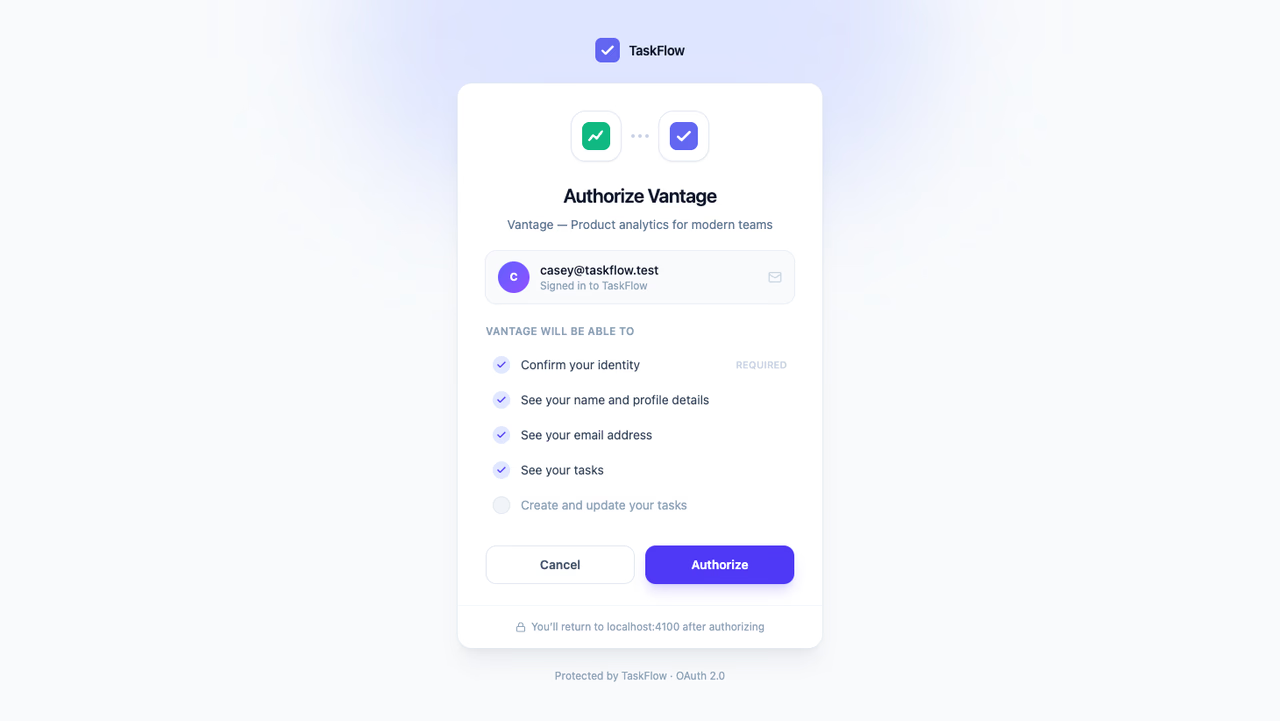
Open http://localhost:4100 and click Sign in with TaskFlow. On the consent screen, switch Create and update your tasks off and authorize. The OAuth2 server narrows the grant to what was actually approved, so the access token comes back carrying tasks.read but not tasks.write.
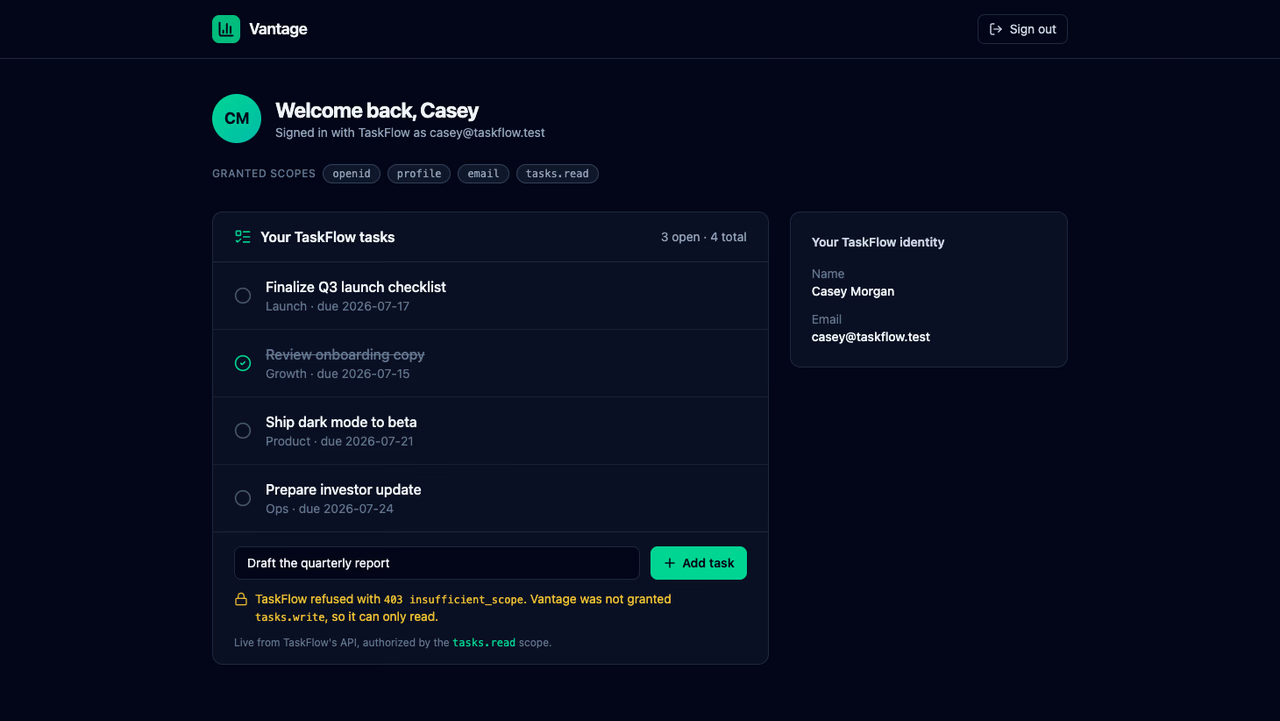
On the dashboard, your tasks render live, so the read scope is doing its job. Now type a task and click Add task: TaskFlow refuses it with 403 insufficient_scope. Vantage holds a perfectly valid token and still cannot write with it, because the user never agreed to that.
Grant the write
Vantage has no sign-out route, so clear its vantage_session cookie or open a private window, then sign in again. This time leave every permission on and authorize. The previous grant did not cover tasks.write, and a request for a scope the user has not approved always returns to the consent screen.
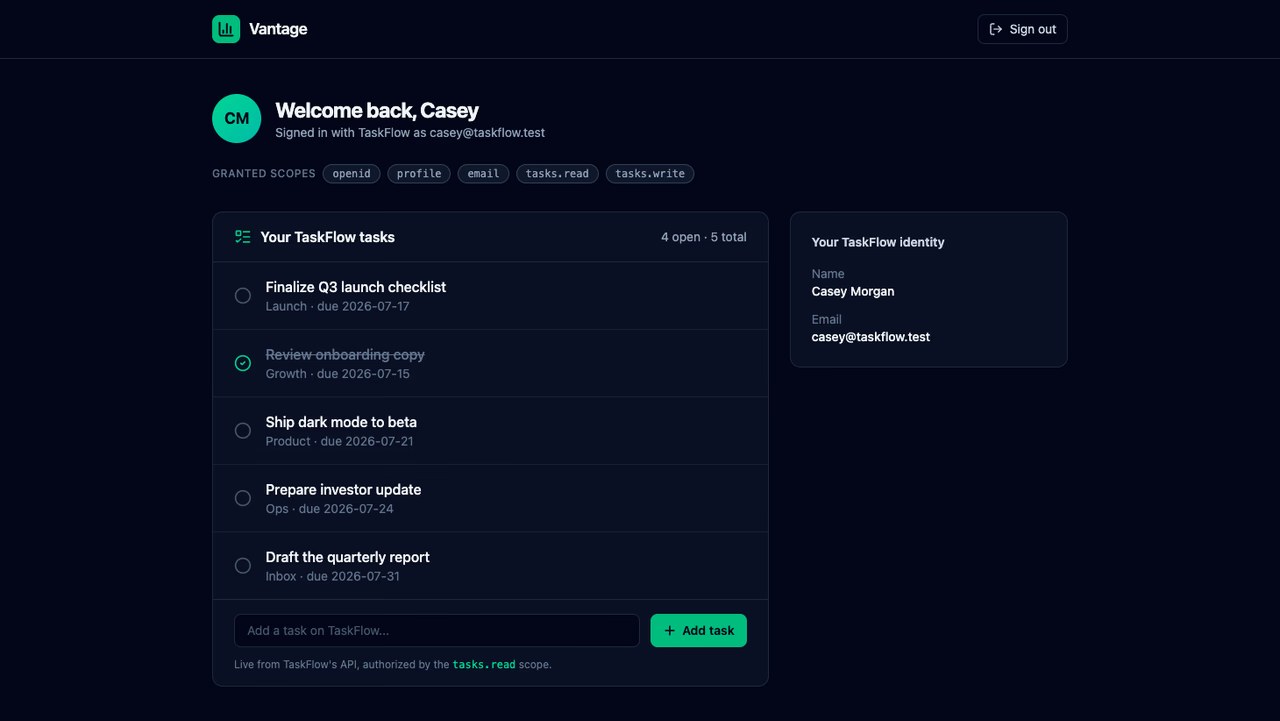
Add the same task again. It lands in the list, and the tasks.write chip sits in the granted scopes. Nothing about TaskFlow's API changed between the two runs; the same guard that refused the write now lets it through, because the token finally carries the scope it checks for.
What each piece did
- The OAuth2 server published the scopes, put them in front of the user as individual choices, and stamped the approved subset onto a signed access token.
- TaskFlow's API verified each token against the project's JWKS and turned the
scopeclaim into an allow-or-deny decision per operation. - Vantage requested the scopes it can use, and its access ends exactly where the user's grant does.
The full source for both apps is on GitHub at appwrite-community/oauth-guide-custom-scopes.
Next steps
Was this page helpful?
Share what worked or what we should fix. Once approved, our agents automatically apply suggested updates to the docs.