Firewall_
Protect project APIs, Functions, and Sites with Appwrite Firewall. Create rules to deny, challenge, rate limit, redirect, or bypass matching traffic from the Console.
3 min read
Appwrite Firewall is project-level traffic control. You define rules that match requests by attributes such as IP address, hostname, path, HTTP method, headers, query parameters, user agent, or location, then apply an action before traffic reaches your API, Functions, or Sites.
You manage rules under Firewall in your project. A rule applies to the project API, to one function, or to one site. Before you save, the Console previews how many recent requests would match. After, the traffic overview shows request volume and each Firewall outcome.
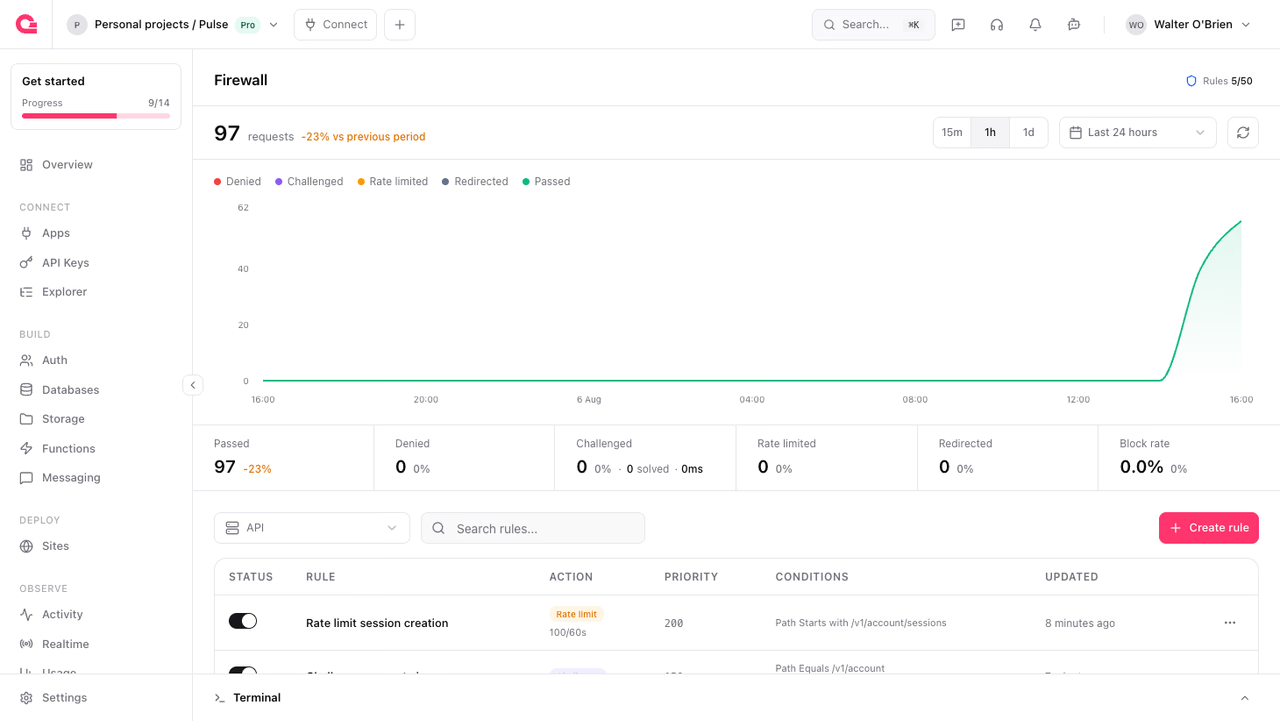
Firewall is available on Appwrite Cloud. Rule limits depend on your organization plan (see Plan limits).
How it works
Each Firewall rule has four parts:
- Resource type: Which traffic the rule considers. Choose the project API, one Function, or one Site. See Resource scopes.
- Conditions: Filters on request attributes (for example IP equals a value, path starts with
/v1/account, country equalsUS). All conditions on a rule must match (AND). A rule with no conditions matches every request in its scope. - Action: What happens when the conditions match. One of Deny, Bypass, Challenge, Rate limit, or Redirect.
- Priority: Lower numbers are evaluated first. The first matching enabled rule decides the outcome for that request and stops evaluation.
Console access
Firewall never blocks the Appwrite Console, so you cannot lock yourself out. Firewall checks everything else, including your own SDK calls and requests made with an API key.
Rules on a Site or a Function run at the network edge, which cannot tell your browser from anyone else's. A site challenge, or Attack mode, challenges you too.
Get started
Create your first API-scoped deny rule and confirm outcomes in traffic overview.
Concepts
Core ideas behind Firewall rules, matching, and evaluation.
Rules
What a rule contains, enabled state, plan limits, and how rules appear in the Console.
Actions
Deny, bypass, challenge, rate limit, and redirect, including status codes and rate-limit keys.
Conditions
Request, client, and location attributes, operators, AND matching, and CIDR and geo details.
Resource scopes
API, Functions, and Sites scopes and where each is enforced.
Priority
Evaluation order, first-match behavior, and tips for stacking rules safely.
Traffic overview
The metrics Firewall reports, and what the impact preview can estimate.
Guides
Step-by-step guides for common Firewall policies in the Console.
Block traffic by country
Deny project API traffic from specific countries, or serve only the countries you allow.
Allowlist trusted IP addresses
Pair a bypass rule with a deny rule so only trusted IP addresses reach a protected path.
Rate limit authentication traffic
Set a request quota on authentication paths to slow brute-force attempts.
Challenge automated traffic
Verify suspected bots with a challenge before their requests continue.
Redirect a site for maintenance
Send visitors of a site to a maintenance page and back without a new deployment.
Attack mode
Challenge every visitor to a site with one click during an incident.
Was this page helpful?
Share what worked or what we should fix. Once approved, our agents automatically apply suggested updates to the docs.